
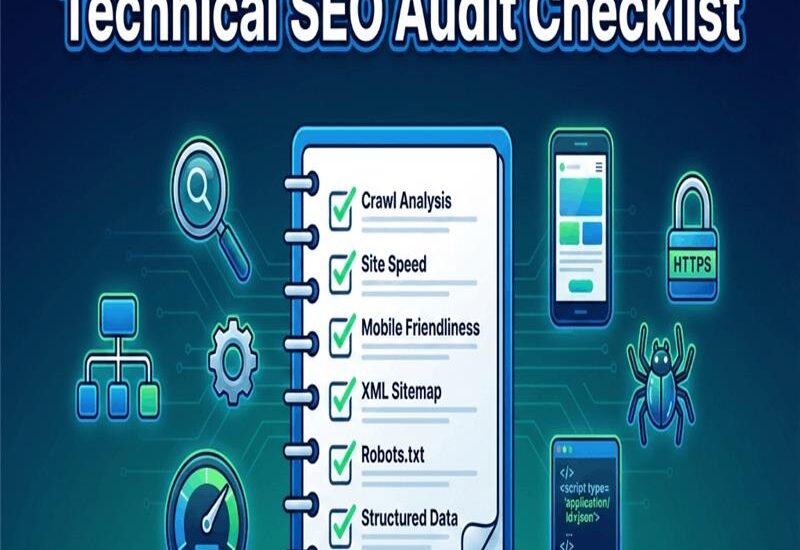
Traffic drops can feel random. One week you’re steady, the next you’re down 30 percent. You check content, you check ads, you even blame seasonality. Then you notice something scarier: important pages aren’t indexing, or they load like they’re on a 3G phone. That’s when a technical seo audit pays for itself. It checks the parts you don’t “see” in a browser, crawl access, index signals, speed, mobile rendering, security, site structure, and structured data. If any of those are broken, good content can still be lost. Google’s Core Web Vitals “good” targets are clear, LCP under 2.5 seconds, INP under 200 ms, and CLS under 0.1, and you can validate them with real tools (see this Core Web Vitals thresholds and fixes). In this post, you’ll get a practical checklist, a simple priority method, and a workflow that won’t overwhelm you.
Key Takeaways
- A technical seo audit finds crawl, index, speed, and rendering blockers first.
- You want a prioritized fix list, not a long dump of warnings.
- Core Web Vitals matter most on your key templates, not every URL.
- Indexing issues often come from duplicates, bad canonicals, and weak internal links.
- Start with Search Console, then confirm with speed and mobile tests.
What A Technical Seo Audit Is, And What It Is Not
A technical SEO audit is a structured check of whether search engines can crawl, render, and index your site, then understand its structure. Think of it like checking plumbing and wiring before painting walls. It’s not a content audit. That’s where you improve messaging, intent match, and quality. It’s not a link audit either. That’s about backlinks, toxicity, and authority signals. A technical audit supports all of those, because it removes blockers. Run an seo audit when you see signs like pages stuck in “crawled, not indexed,” sudden drops after a site update, or slow templates that frustrate users. Here’s the common trap: you publish a well-written service page, but it can’t rank because it’s blocked in robots.txt, tagged noindex, duplicated across URL parameters, or too slow to load on mobile.
Also Read : What Is SEO ?
The fastest way to think about it, crawl, index, render, rank
- Crawl: Googlebot must reach the URL, robots.txt blocks stop it.
- Index: Google must be allowed to store it, a noindex tag cancels it.
- Render: Google must see the content, heavy JavaScript can hide it.
- Rank: The page must compete, slow LCP can weaken it in tight SERPs.
What you should have at the end of the audit
- Issue list with clear pass or fail checks
- Impacted URLs (examples, patterns, templates)
- Severity (critical, high, medium, low)
- Owner (dev, content, SEO, hosting)
- Validation plan in Search Console (before and after screenshots)
Why Technical Seo Audits Matter More
In January 2026, Google continued pushing harder on helpful, human content signals and stronger site-wide quality. That doesn’t reduce technical SEO, it raises the bar. When quality is similar, the site that’s easier to crawl and faster often wins. Core Web Vitals still work like tie-breakers. INP (Interaction to Next Paint) replaced FID earlier, and it measures real responsiveness, not just first input. If your site feels “sticky” when users tap or scroll, you’ll see it in INP. The business cost is plain: slow pages reduce form fills, indexing gaps waste content spend, and broken templates bleed paid traffic too. If you’re running ads, a broken tech stack turns that budget into heat. In my experience, the fastest wins often come from small fixes: removing accidental noindex, cleaning canonicals, and speeding up one key template. You don’t need a rebuild to get momentum.
Core Web Vitals you can actually act on, LCP, INP, CLS
- LCP (load speed): compress and pre-size your hero image.
- INP (responsiveness): trim heavy scripts and limit tag managers.
- CLS (stability): reserve space for images, ads, and embedded widgets.
The hidden cost of technical debt, pages that never get indexed
Indexing gaps often come from duplicate URLs, parameter spam, messy internal links, and canonicals pointing to the wrong version. Add sitemaps filled with redirects and 404s, and you waste crawl time on junk.
Technical Seo Audit Checklist You Can Run Today (And How To Prioritize Fixes)

Treat this like a website health check. Your goal is quick pass or fail answers, then action. Here’s a simple priority matrix you can use:
| Priority Bucket | Fix This First | Why It Matters |
|---|---|---|
| Fix First | Indexing blockers, severe speed, security | Pages can’t rank if they can’t load or index |
| Fix Next | Architecture, duplicates, canonicals | Prevents self-competition and crawl waste |
| Then Polish | Schema, breadcrumbs, minor redirects | Helps rich results and clean UX |
Crawlability and indexability checks (Search Console first)
Start in Google Search Console. Confirm your preferred version (https, www) is consistent. Quick checks:
- Robots.txt allows important paths, blocks admin and filters.
- No accidental noindex on key pages (home, services, categories).
- XML sitemap includes only 200-status, indexable URLs.
- Inspect a few URLs to confirm Google-selected canonical matches yours.
- Submit sitemaps and re-check indexing trends weekly after fixes.
Red flags to act on fast:
- Spike in “Crawled, currently not indexed”
- Blocked by robots.txt on money pages
- Duplicate without user-selected canonical on core templates
Speed and Core Web Vitals checks (what to measure and what to fix)
Use PageSpeed Insights for real-world data, and Lighthouse for lab tests. Focus on templates, not random pages. Pass or fail checks:
- TTFB stays low on your main pages.
- Images are sized correctly and served in modern formats.
- Caching is enabled and repeat views are faster.
- Third-party scripts are limited and loaded late when possible.
Non-dev actions that often help today: compress top images, remove unused plugins, and cut tracking scripts you don’t use.
Mobile and rendering checks (mobile-first realities)
Test your home page, a service page, a blog post, and your contact page on a phone. Look for:
- Tap targets that are too close
- Text that’s too small or cramped
- Layout shifts on load (CLS)
- Content hidden behind tabs or scripts that don’t render
Site structure, internal links, and URL hygiene
Keep URLs predictable and consistent. Pick one trailing slash rule and stick to it. A simple structure example:
- /services/technical-seo/
- /blog/technical-seo-audit-checklist/
Also check click depth. If key pages need five clicks, Google and users will miss them.
Security and trust checks that can quietly hurt SEO
Confirm HTTPS on every URL and redirect HTTP to HTTPS. Fix mixed content warnings (usually old image or script links). Spot issues fast using browser warnings and the Search Console Security report.
Duplicate content and canonical cleanup (stop competing with yourself)
Your canonical tag should point to the clean, indexable version. Avoid canonicals to redirected URLs. Rule of thumb:
- Use a 301 redirect when you want the old URL gone.
- Use a canonical when both URLs must exist for users.
Structured data and schema checks for richer results
Use JSON-LD and match what’s visible on the page. Validate with the Rich Results Test and fix errors before warnings. Start with Organization, WebSite, Breadcrumb, and Article. Add Product or Service markup where it fits. Avoid spammy markup, it backfires.
Tools And A Simple Workflow To Run Your Audit Without Getting Overwhelmed
You don’t need 12 dashboards. Start small, then upgrade. A simple 6-step workflow:
- Crawl the site (even a light crawl helps).
- Review Search Console indexing and sitemaps.
- Test speed on your top templates.
- Check mobile usability and rendering.
- Review security, redirects, and duplicates.
- Validate schema, then write a prioritized plan.
If you want a broader list of options, this SEO audit tool roundup is a useful reference.
Free tools you should start with
Google Search Console shows indexing and canonical signals. PageSpeed Insights shows field performance. Lighthouse helps you reproduce issues. Rich Results Test validates schema.
Paid tools that save time (and when they are worth it)
Screaming Frog is great once your site has scale. Semrush and Ahrefs help you monitor issues and compare competitors. If duplicates are a big issue, pair your crawl with a content similarity check.
| Tool | Best For | When It’s Worth It |
|---|---|---|
| Screaming Frog | Deep crawl diagnostics | Sites over 500 URLs |
| Semrush | Ongoing site audits | Monthly monitoring needs |
| Ahrefs | Technical plus visibility | Competitive niches |
Read Also Article : SEO vs PPC
Common Technical Seo Issues, How To Fix Them, And How Often To Audit
Run a full audit quarterly. Monitor monthly. Always re-check after a redesign, CMS change, or large content push.
Quick fixes you can often do yourself in under a day
Regenerate and resubmit your sitemap. Remove accidental noindex. Fix broken internal links on top pages. Compress the largest images. Remove heavy plugins you don’t need. Clean mixed content on your main templates.
When you should bring in an expert SEO consultant
Bring help in for migrations, repeated indexing failures, JavaScript rendering issues, big e-commerce filters, or security hacks. This is also when it makes sense to hire SEO consultant support and order a clear audit report, because mistakes get expensive fast.
FAQ:Technical Seo Audit Checklist
What does a technical SEO audit include?
It covers crawlability, indexability, speed, mobile rendering, architecture, security, duplicates, and structured data. The output should be a prioritized fix plan your dev can follow.
How long does a technical SEO audit take?
A small site can take 4 to 8 hours. Mid-size sites often take 1 to 3 days. Large sites take longer, then you need time to validate fixes.
Can you do a technical SEO audit yourself?
Yes, you can handle the basics with free tools. Complex sites still need deep crawling and dev support. Start small and build a repeatable process.
How much does a technical SEO audit cost?
Pricing depends on site size, platform, and how deep you go. Many audits fall into a few hundred to a few thousand dollars. Ongoing support costs more because it includes re-checks and implementation help.
What are the most common technical SEO problems?
Indexing blockers, slow templates, redirect chains, duplicate URLs, weak internal linking, broken pages in sitemaps, and schema errors show up the most.
How can Jay Mehta help with your technical SEO audit?
Jay Mehta can turn your findings into a dev-ready roadmap, then re-check results after fixes. You get clarity, priorities, and a cleaner path to growth.
Conclusion
A technical seo audit works best when you keep it practical:
- Fix indexing blockers first.
- Speed up key templates using Core Web Vitals.
- Clean duplicates and canonicals to stop self-competition.
- Validate schema and security for trust and rich results.
If you want momentum this month, schedule a focused audit or request a website health check. Limited slots make it easier to keep turnaround fast.
